
Home / Features / Container Tracking
Features · Container TrackingNever miss a last free day.
Terminal ETAs, availability and last-free-day alerts. On the load, where you need them.
Per-diem and demorrage hit drayage margins hardest. LoadPilot keeps the dates that cost money next to the load that owns them.
Less admin. Fewer mistakes.
Last-free-day alerts
See the clock on every container before the fees start, with time to move it.
Terminal and port status
Availability, holds and ETAs sit on the load. No more checking five port sites.
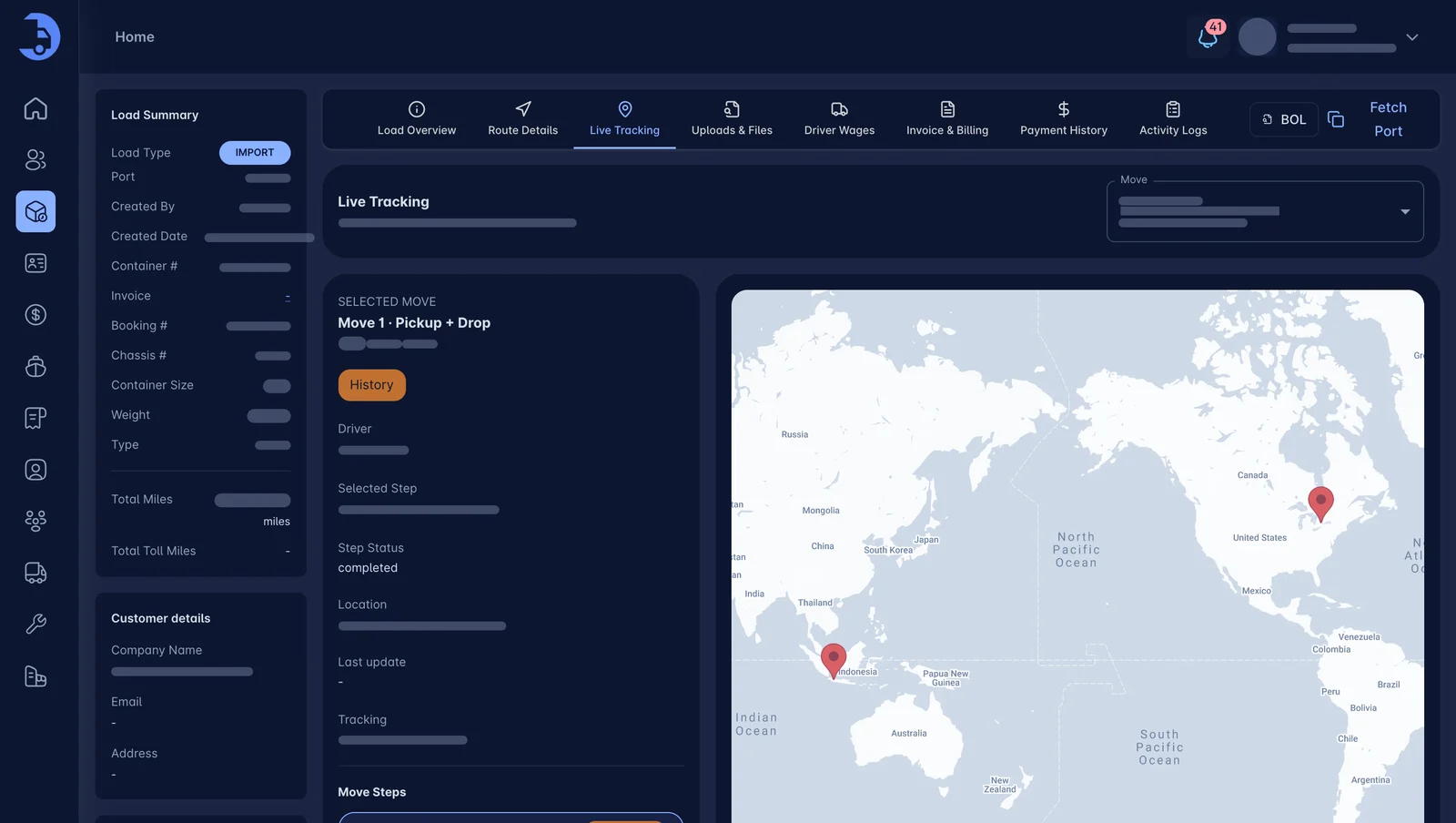
Live driver location
Track the truck on a map and answer "where is it?" in one glance.
See the truck and the box together.
A live map shows the driver, the route and the load details. Customers get a real answer, and you stop playing phone tag.
- Live driver location on a map
- Origin, destination and ETA on the card
- Status timeline from order to complete
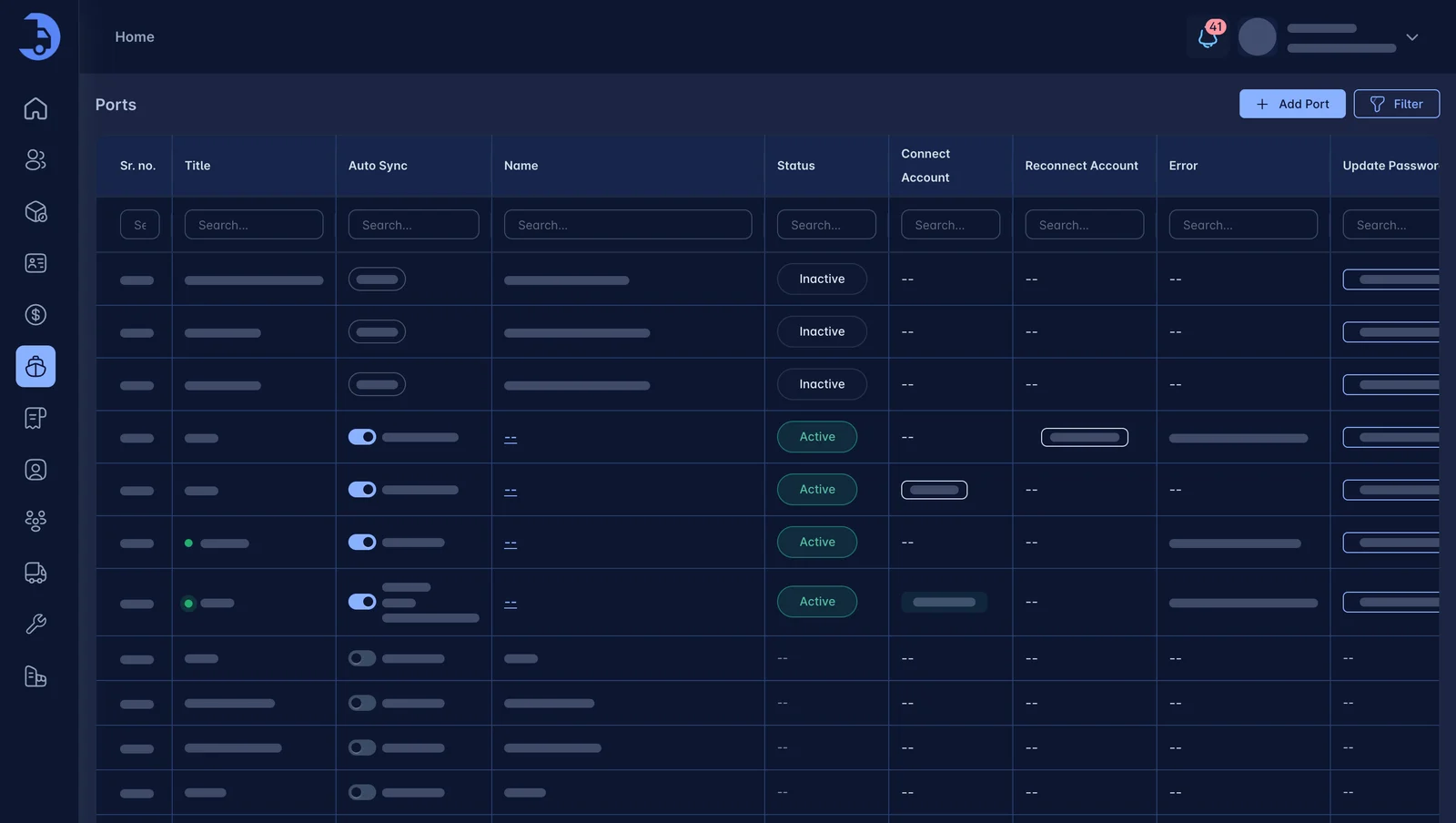
Terminals configured once.
Set up the ports and terminals you work with, then fetch port data straight into the load.
- Port list per account
- Fetch port data from the load
- Dates and holds shown next to the container
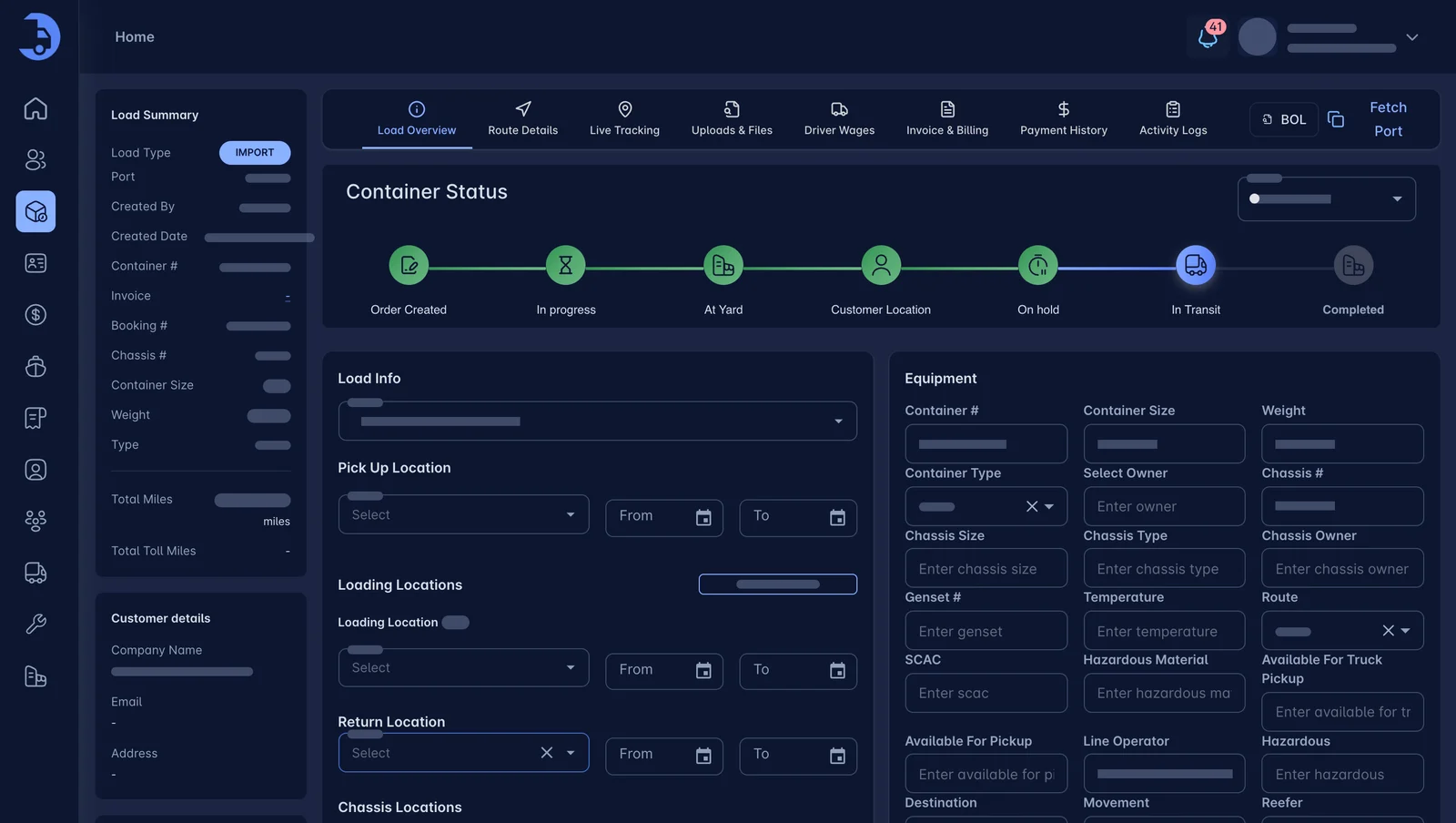
Every stage of the container, visible.
Order created, in progress, at yard, customer location, in transit and completed. All visible at a glance.
- Clear status timeline
- Equipment, chassis and weight details
- Pickup, loading and return locations
Works best with the rest.
See LoadPilot in action.
A 30-minute walkthrough using your kind of loads. Bring your toughest questions.