
Run the whole day from one board.
Drag a load onto a driver. Watch every move live. Run fewer empty miles.
Dispatch is where margin is made or lost. LoadPilot gives dispatchers one board for loads, drivers and containers, so nobody is chasing updates by phone.
Less admin. Fewer mistakes.
Drag, drop, assigned
Drop a load on a driver and it lands on their phone. No calls, no texts, no "did you get it?".
Live status on every load
See who is at the terminal, in transit or delivered without asking anyone.
Fewer empty miles
See where each truck finishes so the next pickup is close, not an afterthought.
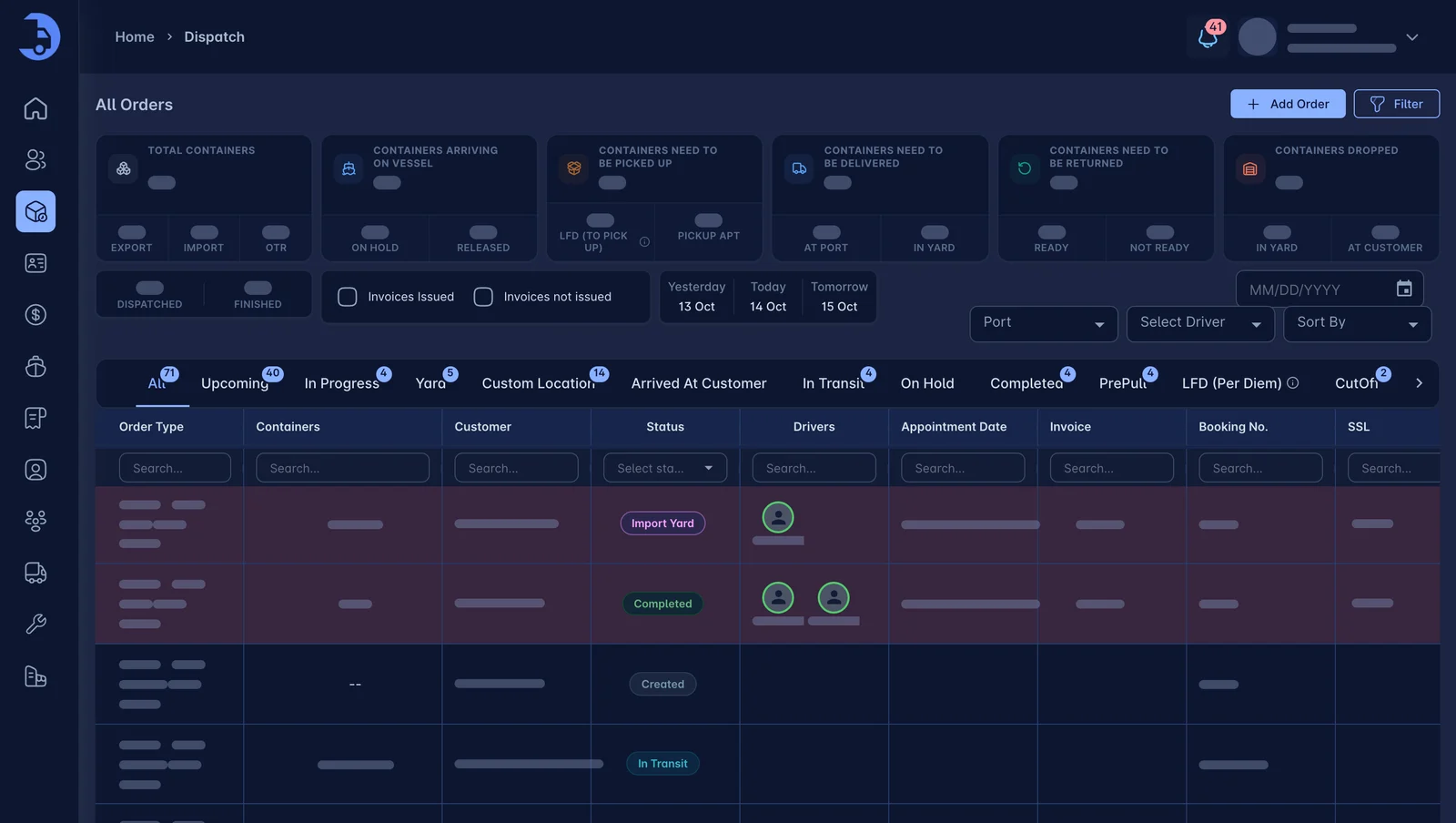
One view of loads, trucks and drivers.
Filter by status, customer or driver. Open any load without leaving the board. Everyone on the team sees the same live picture.
- Order types: import, export, pre-pull, yard and custom location
- Search by container, booking or customer
- See assigned drivers on every order
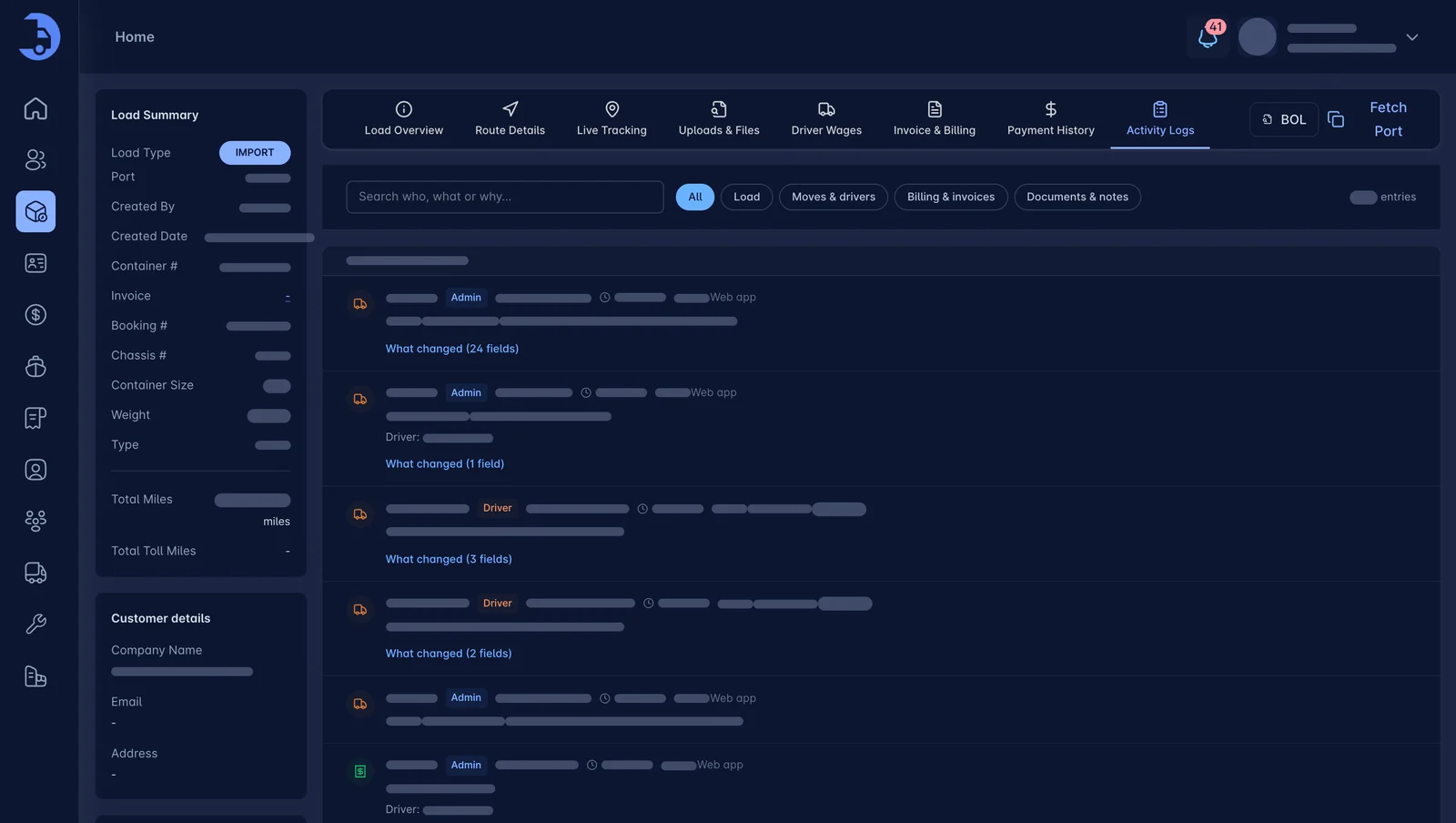
Know what happened and when.
Every status change, note and document is logged on the load. When a customer asks, you have the answer in seconds. (Not in someone's text history.)
- Activity log on every load
- Notes and uploads in one place
- Hand off a load without a briefing
Works best with the rest.
Container Tracking
Terminal ETAs, availability and last-free-day alerts. On the load, where you need them.
Learn more →Driver App
Load details, navigation, one-tap updates and chat with dispatch in a simple app.
Learn more →Billing & Invoicing
Auto-rated loads, accessorials captured as they happen, and a direct sync to QuickBooks.
Learn more →See LoadPilot in action.
A 30-minute walkthrough using your kind of loads. Bring your toughest questions.